Smart Speaker Setup &
Voice Assistant Configuration Guide
Need Help Installing Your Smart Speaker?
If your smart speaker isn’t connecting or working the way it should, this page provides simple, independent guidance to help you complete the setup process and resolve common problems.
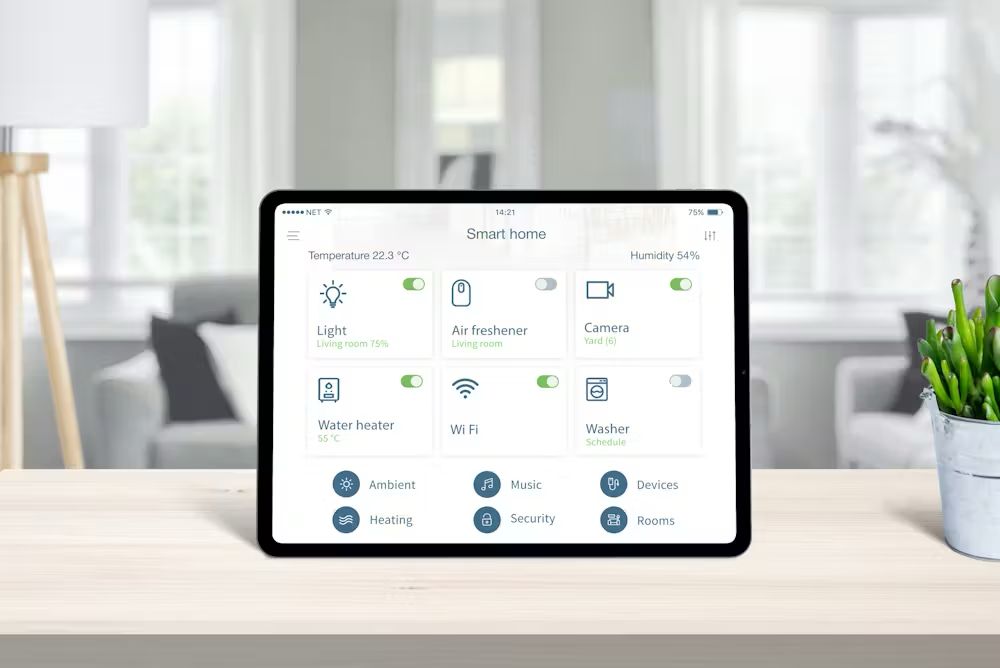
Voice-enabled smart devices are designed to make everyday life easier. They allow you to control lights, play music, set reminders, manage routines, and interact with your home using voice commands. However, many users experience challenges when setting up their devices for the first time — particularly when connecting to Wi-Fi, installing the mobile application, or linking additional smart home accessories.
This page explains how the setup process typically works, highlights the most common issues users face, and outlines practical steps that may help resolve them.
Who This Guide Is Designed For
This information may be helpful if you are experiencing problems such as:
Voice commands not responding properly
Smart lights, plugs, or displays not reacting
Music playback or routines not functioning
Trouble connecting the device to a Wi-Fi network
Setup process stopping or not completing
Mobile app unable to find or connect to the device
The information provided here applies broadly to many voice-enabled smart speakers and smart home ecosystems.
Common Smart Speaker Issues
Many users experience similar problems during the installation process or shortly after completing setup. Understanding these situations can help you troubleshoot them more effectively.
Wi-Fi Connectivity Problems
Smart speakers depend heavily on a stable internet connection. If the network signal is weak or unstable, you may experience:
Slow or delayed responses to voice commands
Failed commands or incomplete actions
Setup processes that do not finish properly
Moving the device closer to your router and minimizing interference can often improve connectivity.
Mobile App Cannot Detect the Device
Sometimes the companion app is unable to locate the smart speaker during setup. This can happen when:
Bluetooth or location permissions are disabled
Router settings prevent device discovery
The speaker is not placed in pairing or setup mode
Restarting both the device and the application frequently resolves this issue.
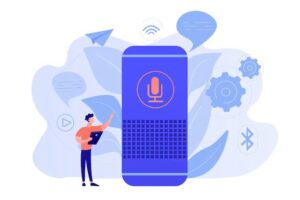
Difficulty Pairing Smart Devices
When connecting additional smart home accessories such as lights or plugs:
Pair devices one at a time
Confirm compatibility with your system
Follow reset instructions before reconnecting devices
This helps reduce pairing conflicts and improves overall reliability.
Understanding How Smart Speaker Setup Works
Although different brands may have slightly different interfaces, most smart speakers follow a similar setup flow. Understanding this flow makes troubleshooting much easier.
Preparing the Device
Before starting the setup process:
Plug the smart speaker into a stable power outlet
Place the device near your Wi-Fi router initially
Avoid areas with strong signal interference
Confirm that your internet connection is active
Proper placement during installation helps prevent connectivity issues later.
Installing Through the Mobile App
Most smart speakers are configured using a mobile application provided by the manufacturer.
During installation:
The application searches for nearby devices
The speaker connects to your home Wi-Fi network
Language, location, and basic preferences are selected
If the application cannot locate the device, it may be related to network permissions or router settings.
Network Connection & Setup Verification
Connecting the device to your wireless network is one of the most common stages where problems occur.
Typical causes include:
Entering the incorrect Wi-Fi password
Network security settings blocking the connection
Router positioned too far away
Multiple devices attempting setup simultaneously
Ensuring a stable network connection is essential for reliable operation.
Testing the Device After Setup
Once installation is complete, testing the device can confirm that everything is working correctly.
You can try:
Simple voice commands
Adjusting volume and microphone responsiveness
Connecting compatible smart home accessories
Creating basic automation routines
Testing the device early helps identify configuration issues quickly.
Tips for Better Smart Speaker Performance
Use clear and simple voice commands
Keep the device firmware and app updated
Maintain strong Wi-Fi coverage in your home
Avoid placing the speaker near large metal objects
Review privacy and microphone settings regularly
Even small adjustments can improve responsiveness and reliability.
About smarthomeautronova
smarthomeautronova is an independent informational platform that focuses on smart home technology and voice-enabled automation systems.
We are not affiliated with, endorsed by, or authorized by any device manufacturer or brand.
The information on this website is provided for general educational and advisory purposes only.
OUR SERVICES
We offer independent consulting and informational guidance related to smart automation technologies, including:
General smart speaker configuration guidance
Voice interaction design consulting
Educational resources on smart home ecosystems
Speech-to-text technology advisory
Conversational chatbot design and development
Automation strategy and integration planning
Our services are brand-neutral and designed to help users better understand and manage smart home technology.
IMPORTANT NOTICE
smarthomeautronova operates as an independent service provider.
We are not associated with, endorsed by, or authorized by any device manufacturer or technology platform.
All trademarks and product names belong to their respective owners and are referenced only in a general informational context.
Terms of Use
By accessing this website, you acknowledge that:
The information provided is intended for general informational and consulting purposes
We do not provide official technical for specific brands or manufacturers
Users are responsible for how they apply the information provided on this website
Request a Consultation
Disclaimer
This website is an independent informational resource and is not affiliated with, authorized by, or endorsed by any brand, including Amazon or Alexa. All trademarks belong to their respective owners. |
The content provided is for general educational purposes only. We do not offer technical , repair services, or customer assistance of any kind. No products or services are sold through this website. |
| We do not collect personal or financial information from users. Visitors are free to browse all content without submitting any data. |
| Any actions taken based on the information provided are at the user’s own discretion. For official assistance, please visit the respective manufacturer’s official website. |
© 2026 smarthomeautronova. All rights reserved.